I finally got the rhgb quiet removed and did add a and the 3 to the kernel command.
It ended with a login prompt. I logged in as user.
Then I tried to start a gdm:
sudo systemctl start gdm
Blank screen with cursor blinking.
This also happens in connection with older nVidia cards and GNOME47+Wayland, so it might not work for you, but nevertheless, you might want to try this workaround.
Please also check if you can start an X.org instead of a Wayland session, by running startx instead of start gdm.
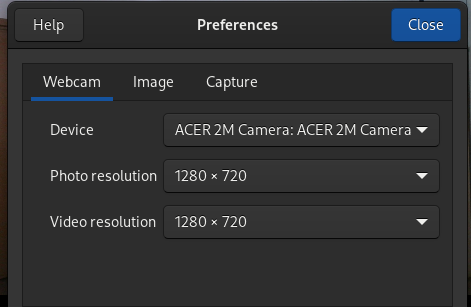
I was able to fix the freeze by trying to fix my camera. I think either installing sudo dnf install akmod-intel-ipu6 or sudo dnf install v4l-utils but I can’t tell for sure. If you have an integrated ipu6 camera, maybe this could cause the freeze?
déc. 14 15:25:14 odin kernel: ACPI BIOS Error (bug): Failure creating named object [_SB.PC00.XHCI.RHUB.HS01._UPC], AE_ALREADY_EXISTS (20240322/dswload2-326)
déc. 14 15:25:14 odin kernel: ACPI Error: AE_ALREADY_EXISTS, During name lookup/catalog (20240322/psobject-220)
déc. 14 15:25:14 odin kernel: ACPI BIOS Error (bug): Failure creating named object [_SB.PC00.XHCI.RHUB.HS02._UPC], AE_ALREADY_EXISTS (20240322/dswload2-326)
déc. 14 15:25:14 odin kernel: ACPI Error: AE_ALREADY_EXISTS, During name lookup/catalog (20240322/psobject-220)
déc. 14 15:25:14 odin kernel: ACPI BIOS Error (bug): Failure creating named object [_SB.PC00.XHCI.RHUB.HS03._UPC], AE_ALREADY_EXISTS (20240322/dswload2-326)
déc. 14 15:25:14 odin kernel: ACPI Error: AE_ALREADY_EXISTS, During name lookup/catalog (20240322/psobject-220)
déc. 14 15:25:14 odin kernel: ACPI BIOS Error (bug): Failure creating named object [_SB.PC00.XHCI.RHUB.HS04._UPC], AE_ALREADY_EXISTS (20240322/dswload2-326)
déc. 14 15:25:14 odin kernel: ACPI Error: AE_ALREADY_EXISTS, During name lookup/catalog (20240322/psobject-220)
déc. 14 15:25:14 odin kernel: ACPI BIOS Error (bug): Failure creating named object [_SB.PC00.XHCI.RHUB.HS05._UPC], AE_ALREADY_EXISTS (20240322/dswload2-326)
déc. 14 15:25:14 odin kernel: ACPI Error: AE_ALREADY_EXISTS, During name lookup/catalog (20240322/psobject-220)
déc. 14 15:25:14 odin kernel: ACPI BIOS Error (bug): Failure creating named object [_SB.PC00.XHCI.RHUB.HS05._PLD], AE_ALREADY_EXISTS (20240322/dswload2-326)
déc. 14 15:25:14 odin kernel: ACPI Error: AE_ALREADY_EXISTS, During name lookup/catalog (20240322/psobject-220)
déc. 14 15:25:14 odin kernel: ACPI BIOS Error (bug): Failure creating named object [_SB.PC00.XHCI.RHUB.HS06._UPC], AE_ALREADY_EXISTS (20240322/dswload2-326)
déc. 14 15:25:14 odin kernel: ACPI Error: AE_ALREADY_EXISTS, During name lookup/catalog (20240322/psobject-220)
déc. 14 15:25:14 odin kernel: ACPI BIOS Error (bug): Failure creating named object [_SB.PC00.XHCI.RHUB.HS07._UPC], AE_ALREADY_EXISTS (20240322/dswload2-326)
déc. 14 15:25:14 odin kernel: ACPI Error: AE_ALREADY_EXISTS, During name lookup/catalog (20240322/psobject-220)
déc. 14 15:25:14 odin kernel: ACPI BIOS Error (bug): Failure creating named object [_SB.PC00.XHCI.RHUB.HS08._UPC], AE_ALREADY_EXISTS (20240322/dswload2-326)
déc. 14 15:25:14 odin kernel: ACPI Error: AE_ALREADY_EXISTS, During name lookup/catalog (20240322/psobject-220)
déc. 14 15:25:14 odin kernel: ACPI BIOS Error (bug): Failure creating named object [_SB.PC00.XHCI.RHUB.HS09._UPC], AE_ALREADY_EXISTS (20240322/dswload2-326)
déc. 14 15:25:14 odin kernel: ACPI Error: AE_ALREADY_EXISTS, During name lookup/catalog (20240322/psobject-220)
déc. 14 15:25:14 odin kernel: ACPI BIOS Error (bug): Failure creating named object [_SB.PC00.XHCI.RHUB.HS10._UPC], AE_ALREADY_EXISTS (20240322/dswload2-326)
déc. 14 15:25:14 odin kernel: ACPI Error: AE_ALREADY_EXISTS, During name lookup/catalog (20240322/psobject-220)
déc. 14 15:25:16 odin kernel: logitech-hidpp-device 0003:046D:4091.0004: hidpp_root_get_protocol_version: received protocol error 0x08
déc. 14 15:25:16 odin kernel: logitech-hidpp-device 0003:046D:4023.0003: hidpp_root_get_protocol_version: received protocol error 0x08
déc. 14 15:25:18 odin kernel: intel_ipu6_isys.isys intel_ipu6.isys.40: probe with driver intel_ipu6_isys.isys failed with error -12
déc. 14 15:25:20 odin abrtd[1220]: ‘/var/spool/abrt/oops-2024-12-12-07:56:38-1290-1’ is not a problem directory
déc. 14 15:25:21 odin abrtd[1220]: ‘/var/spool/abrt/oops-2024-12-12-08:38:55-1644-1’ is not a problem directory
déc. 14 15:25:21 odin abrtd[1220]: ‘/var/spool/abrt/oops-2024-12-12-08:38:55-1644-2’ is not a problem directory
Here is the Xorg.0.log
[ 269.158] X.Org X Server 1.21.1.14
X Protocol Version 11, Revision 0
[ 269.158] Current Operating System: Linux odin 6.11.11-300.fc41.x86_64 #1 SMP PREEMPT_DYNAMIC Thu Dec 5 18:38:25 UTC 2024 x86_64
[ 269.158] Kernel command line: BOOT_IMAGE=(hd2,gpt2)/vmlinuz-6.11.11-300.fc41.x86_64 root=UUID=1fbc0f10-9f24-4556-9640-1001a35cb587 ro rootflags=subvol=root 3
[ 269.158] Build ID: xorg-x11-server 21.1.14-2.fc41
[ 269.158] Current version of pixman: 0.44.2
[ 269.158] Before reporting problems, check http://wiki.x.org
to make sure that you have the latest version.
[ 269.158] Markers: (–) probed, () from config file, (==) default setting,
(++) from command line, (!!) notice, (II) informational,
(WW) warning, (EE) error, (NI) not implemented, (??) unknown.
[ 269.158] (==) Log file: “/var/log/Xorg.0.log”, Time: Sat Dec 14 14:24:19 2024
[ 269.158] (==) Using config directory: “/etc/X11/xorg.conf.d”
[ 269.158] (==) Using system config directory “/usr/share/X11/xorg.conf.d”
[ 269.158] (==) No Layout section. Using the first Screen section.
[ 269.158] (==) No screen section available. Using defaults.
[ 269.158] () |–>Screen “Default Screen Section” (0)
[ 269.158] () | |–>Monitor “”
[ 269.158] (==) No monitor specified for screen “Default Screen Section”.
Using a default monitor configuration.
[ 269.158] () Allowing byte-swapped clients
[ 269.158] (==) Automatically adding devices
[ 269.158] (==) Automatically enabling devices
[ 269.158] (==) Automatically adding GPU devices
[ 269.158] (==) Automatically binding GPU devices
[ 269.158] (==) Max clients allowed: 256, resource mask: 0x1fffff
[ 269.158] (**) FontPath set to:
/usr/share/fonts/msttcore,
catalogue:/etc/X11/fontpath.d,
built-ins
[ 269.158] (==) ModulePath set to “/usr/lib64/xorg/modules”
[ 269.158] (II) The server relies on udev to provide the list of input devices.
If no devices become available, reconfigure udev or disable AutoAddDevices.
[ 269.158] (II) Module ABI versions:
[ 269.158] X.Org ANSI C Emulation: 0.4
[ 269.158] X.Org Video Driver: 25.2
[ 269.158] X.Org XInput driver : 24.4
[ 269.158] X.Org Server Extension : 10.0
[ 269.159] (++) using VT number 1
[ 269.159] (II) systemd-logind: logind integration requires -keeptty and -keeptty was not provided, disabling logind integration
[ 269.159] (II) xfree86: Adding drm device (/dev/dri/card1)
[ 269.159] (II) Platform probe for /sys/devices/pci0000:00/0000:00:02.0/drm/card1
[ 269.165] (–) PCI:*(0@0:2:0) 8086:46a6:1025:162e rev 12, Mem @ 0x6003000000/16777216, 0x4000000000/268435456, I/O @ 0x00004000/64, BIOS @ 0x???/131072
[ 269.165] (II) LoadModule: “glx”
[ 269.166] (II) Loading /usr/lib64/xorg/modules/extensions/libglx.so
[ 269.166] (II) Module glx: vendor=“X.Org Foundation”
[ 269.166] compiled for 1.21.1.14, module version = 1.0.0
[ 269.166] ABI class: X.Org Server Extension, version 10.0
[ 269.166] (==) Matched modesetting as autoconfigured driver 0
[ 269.166] (==) Matched fbdev as autoconfigured driver 1
[ 269.166] (==) Matched vesa as autoconfigured driver 2
[ 269.166] (==) Assigned the driver to the xf86ConfigLayout
[ 269.166] (II) LoadModule: “modesetting”
[ 269.166] (II) Loading /usr/lib64/xorg/modules/drivers/modesetting_drv.so
[ 269.227] (II) Module modesetting: vendor=“X.Org Foundation”
[ 269.228] compiled for 1.21.1.14, module version = 1.21.1
[ 269.228] Module class: X.Org Video Driver
[ 269.228] ABI class: X.Org Video Driver, version 25.2
[ 269.228] (II) LoadModule: “fbdev”
[ 269.228] (WW) Warning, couldn’t open module fbdev
[ 269.228] (EE) Failed to load module “fbdev” (module does not exist, 0)
[ 269.228] (II) LoadModule: “vesa”
[ 269.228] (WW) Warning, couldn’t open module vesa
[ 269.228] (EE) Failed to load module “vesa” (module does not exist, 0)
[ 269.228] (II) modesetting: Driver for Modesetting Kernel Drivers: kms
[ 269.230] (II) modeset(0): using drv /dev/dri/card1
ipu6-camera-bins-0.0-14.20240507git987b09a.fc41.x86_64.rpm
I installed ipu6-camera… first and akmod-intel… second.
The kernel 6.11.11 booted finally.
I modified the settings to make sure that latest kernel will boot now
sudo grub2-set-default 0
sudo grub2-editenv list
The most recent kernel will be the default one.
This is rather interesting! What Kind of Machine (Laptop) do you have, because I the ipu6 Cameras are still not working properly in general. Could you open Snapshot and test, if your camera is working?
This could help me in my other topic, because I’m still trying to figure out, what my Camera needs to work and I’ve found out that there are different ipu6 Cameras and not all of them have Support in the Kernel - some are still missing.
You should start a new topic for Acer Aspire cameras. The LHDB may be useful. Searching for a device may get a list of linux drivers and there are sometimes user comments that tell you how to enable problematic devices.
Installing akmod-intel-ipu6 from rpmfusion-nonfree or even uninstalling all related packaged did not solve this issue for me. The problem persists through updated kernel version 6.12.4-200. Only blacklisting intel_ipu6_isys fixed the boot issue for my machine, Dell Latitude 7640/0982JK, BIOS 1.16.0 07/12/2024.
So your Solution so far is basically disabling the Intel ipu6 Camera Drivers until they finally got fixed?
akmod-intel-ipu6 worked for me, I did a clean install again and I can say that I even have crashes with Kernel 6.12.4 until I install this package. But then Kernel-Lockdown gets disabled and I can’t enable it again.
I wonder what Intel is doing. They have impelented some Cameras but then other ipu6 Cameras just got left out and are causing lots of pain.