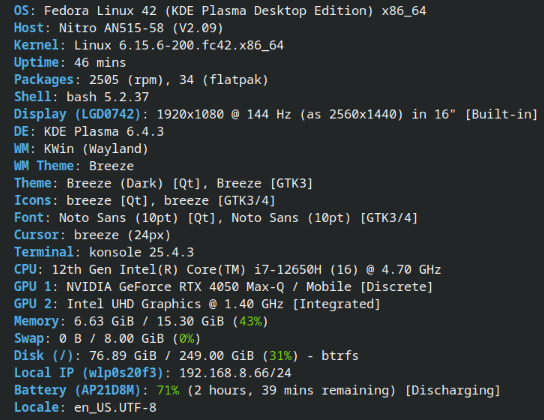
No matter what I do, I cannot change the brightness of my screen.
I am using Fedora 42, KDE Plasma on Wayland on an Acer Nitro 5 laptop with NVIDIA graphics.
Plus, I am dual booting Windows 11 and Fedora. Brightness controls work perfectly fine on Windows 11.
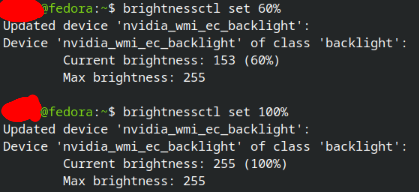
I’ve looked up a problem and found that using brightnessctl might solve my issue. I used this guide below, despite the person using a different laptop and desktop environment. Though, it was the closest thing to the problem I was having that I could find.
I have brightnessctl installed, and the commands seem to run fine, but my screen’s brightness still refuses to change.
Here are my current display settings:

Changing the brightness and refresh rate from the display settings does not work. Additionally, I tried changing some of the other display settings: Switching adaptive sync to automatic, and always
Switching color profile to ICC profile, and built-in
Enabling, and disabling Extended Dynamic Range
Lastly, I found this person who also has an Acer Nitro 5 laptop with brightness issues on linux. One of the comments suggested to switch the BIOS to use the discrete GPU. I tried doing that, yet the problem was still there.
https://www.linux.org/threads/distro-for-acer-nitro-5.45883/