Hi!
I noticed that CentOS Stream 10 doesn’t have a dark mode wallpaper, really. It’s just a black screen. I don’t know if this is expected.
Hi!
I noticed that CentOS Stream 10 doesn’t have a dark mode wallpaper, really. It’s just a black screen. I don’t know if this is expected.
Dark mode in KDE Plasma works properly.
@osalbahr , it looks like gnome-background-properties is not properly configured. Could you please try applying the following fix:
in the following file:
/usr/share/gnome-background-properties/desktop-backgrounds-default.xml
and report the result.
I just modified the file according to the diff, rebooted, still a black wallpaper when switching to dark mode.
Can you confirm the version and content of your installed centos-backgrounds package?
rpm -q centos-backgrounds
centos-backgrounds-100.2-3.el10.noarch
]$ rpm -ql centos-backgrounds
/usr/share/backgrounds/centos-day.png
/usr/share/backgrounds/centos-night.png
/usr/share/backgrounds/centos.xml
/usr/share/gnome-background-properties/desktop-backgrounds-default.xml
/usr/share/licenses/centos-backgrounds
/usr/share/licenses/centos-backgrounds/COPYING
and your configuration settings’ output (with dark mode selected):
]$ gsettings get org.gnome.desktop.background picture-uri-dark
'file:///usr/share/backgrounds/centos-night.png'
My file uri is different:
$ rpm -q centos-backgrounds
centos-backgrounds-100.2-3.el10.noarch
$ rpm -ql centos-backgrounds
/usr/share/backgrounds/centos-day.png
/usr/share/backgrounds/centos-night.png
/usr/share/backgrounds/centos.xml
/usr/share/gnome-background-properties/desktop-backgrounds-default.xml
/usr/share/licenses/centos-backgrounds
/usr/share/licenses/centos-backgrounds/COPYING
$ gsettings get org.gnome.desktop.background picture-uri-dark
'file:///usr/share/backgrounds/gnome/adwaita-d.jxl'
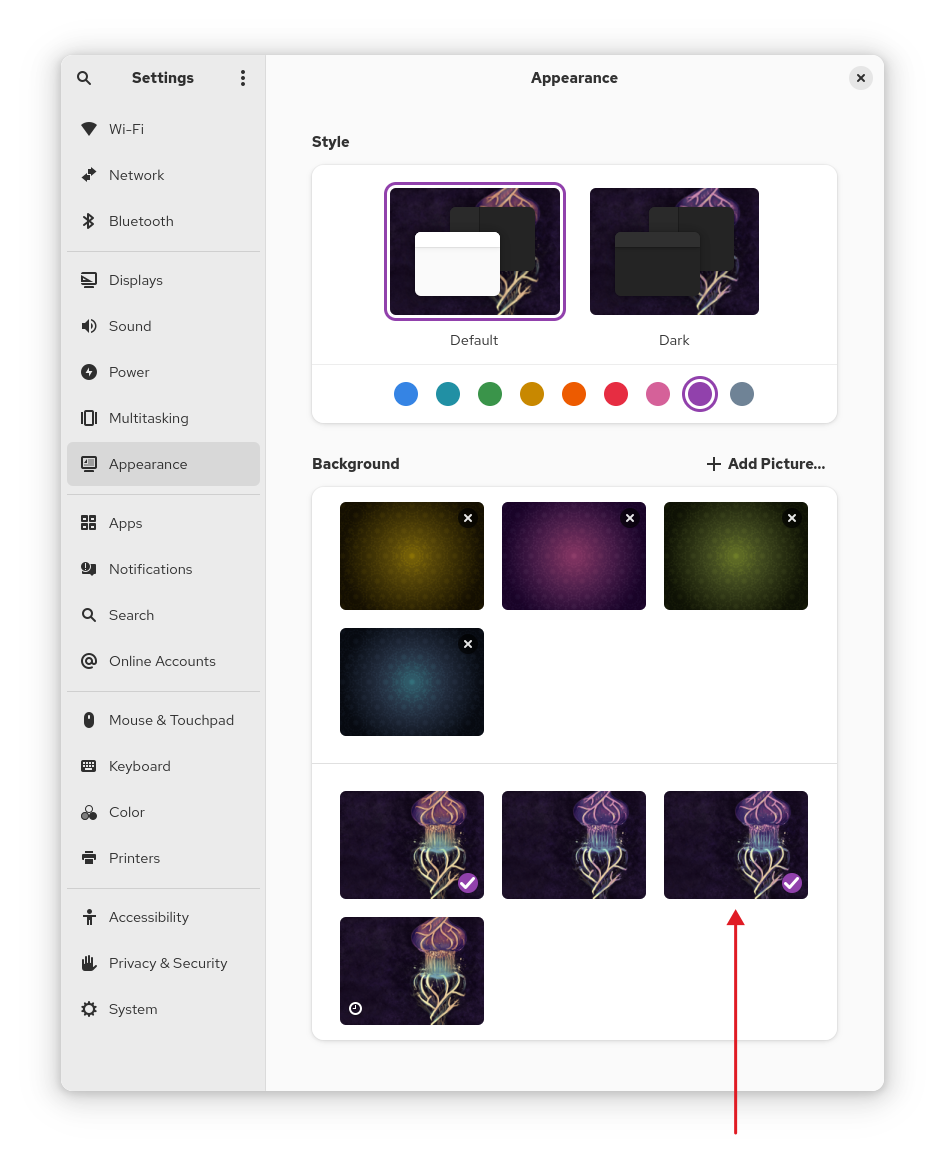
If you select the dynamic mode background in the settings window:
does gsettings command shows the centos-night.png file?
After last weeks update, mine booted with no background picture selected - just a black screen like yours. – But it reappeared as soon as I clicked it in Settings, Appearance.