Installed snapper and Btrfs-assistant. Don’t need a lecture on what Btrfs is. I already know that.
I’ve followed this guide:
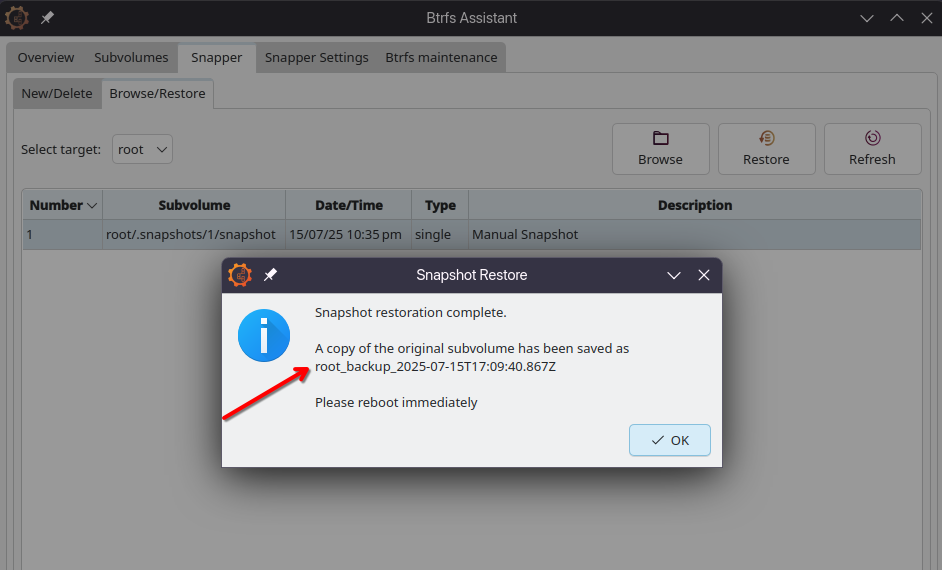
Now I can successfully create Btrfs snapshots. In the last step of the guide “The next screen will look like the one below, telling you to reboot immediately. Click Ok. Then immediately reboot.”:
Create a Btrfs snapshot and restore to it. If I restore the root partition, I want a FULL restore. Things to be exactly as they were, similar to a VM snapshot.
If, after restore, things don’t work out, I want my machine to be back at when it was before the restore.
Boot into any snapshot at any time.
I want to these using GUI (If any of this stuff can’t be done with GUI, it’s fine, but please give some reference to what CLI commands you refer.)
Also one of my questions: What is a Snapper config?
Hi @linuxguy-cyber
I always install with blivet-gui and create the @ and @home subvols for timeshift. However, even though you create snapshots of @ and @home (using snapper is similar), you don’t create an image of /boot (usually in ext4), which is essential for some upgrades. So, even if you create snapshots, you could still end up with an inconsistent system. In an ideal world, you would create snapshots with snapper and simultaneously rsync /boot.
Hi, following this guide (https://www.youtube.com/watch?v=iSyDgIuBDWU), I have successfully managed to create the snapshots.
I’ve also set-up grub-btrfs and grub-btrfsd according to the video.
Now I can easily create snapshots using Btrfs assistant and they reflect in the GRUB immediately. This tutorial also creates a LOT more subvolumes (which I did). It says it makes things smoother (maybe?) for rollbacks.
Regarding /boot, this tutorial did not create it all. So I didn’t. The person says /boot is included in the newly created Btrfs volume. By not separating it, it is automatically included in the snapshot.
Perhaps using RSYNC for /boot is safer? Since it makes a full backup?
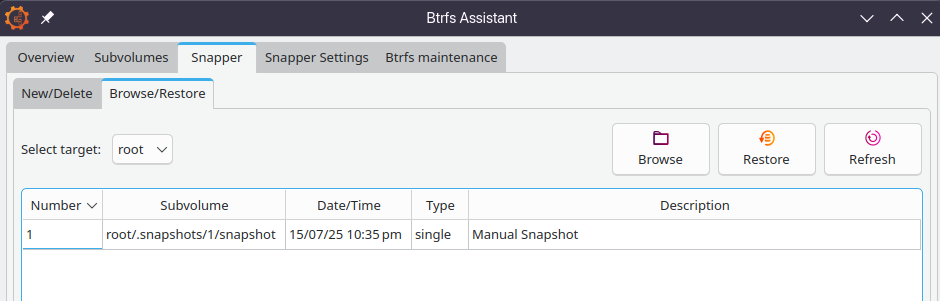
A snapper config is a definition of which subvolume you want to backup, if you want hourly snapshots and how many you want to save. If you do that, you can select a config in the snapper tab, press “new” and description and you get one in the list which you can restore. For some reason, right click in the subvolume list on “create snapshot” gives me a snapshot but I can’t do anything with it…