I need to have a program launch at a specific time(not at startup!) and after a bit of googling I decided the best/easiest GUI option for me would be Kcron.
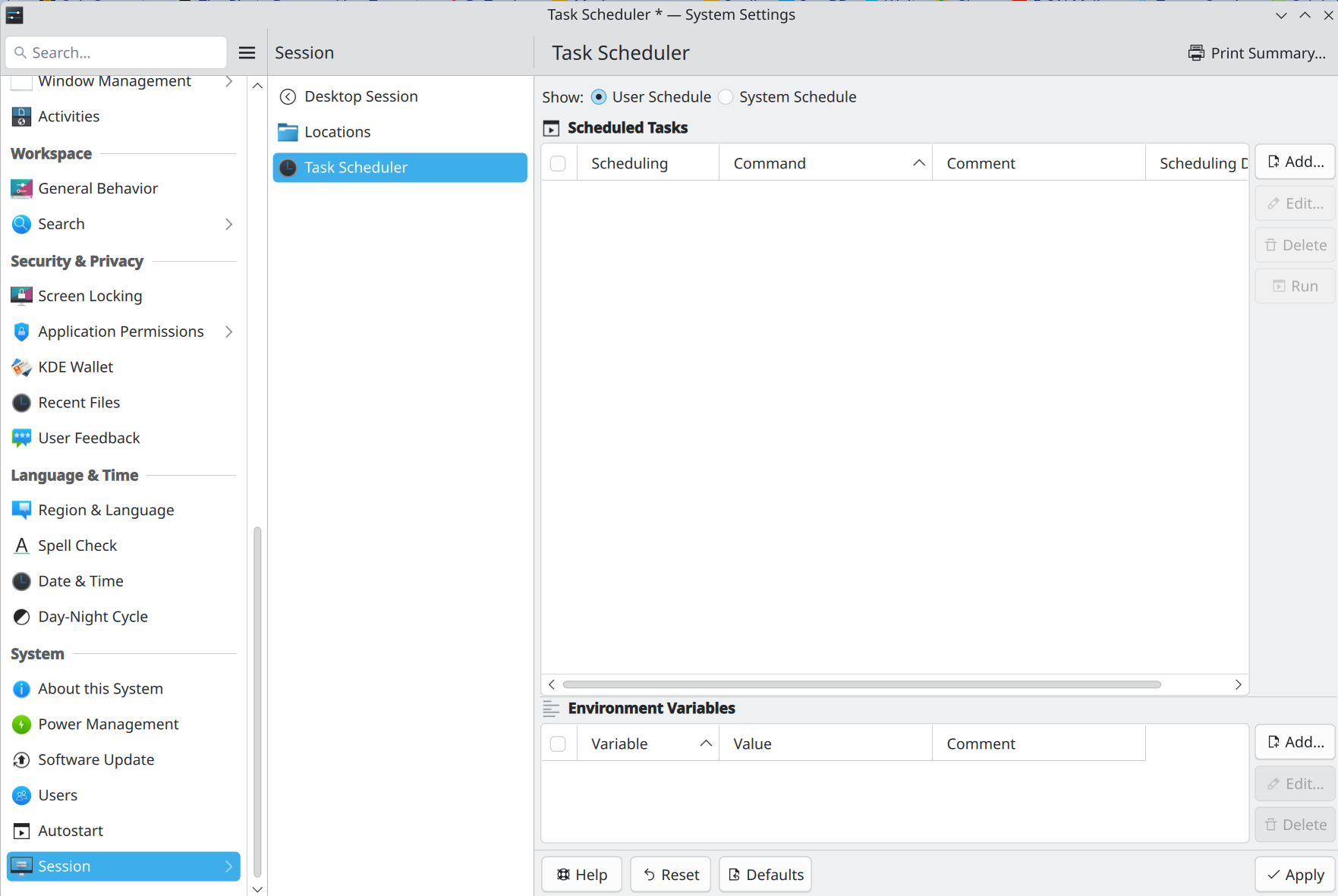
I installed it and now in my system settings I have this
and if I click on the little “Browse the program” button a search window opens that normally, in win system, you would point to the program’s .exe file.
But we are on Linux of course, so after more googling I found something stated here on the forum according to a mr. @paidhi
The Exec= from my program’s .desktop file says /usr/bin/flatpak run --branch=stable --arch=x86_64 --command=yuki-iptv io.github.yuki_iptv.yuki-iptv
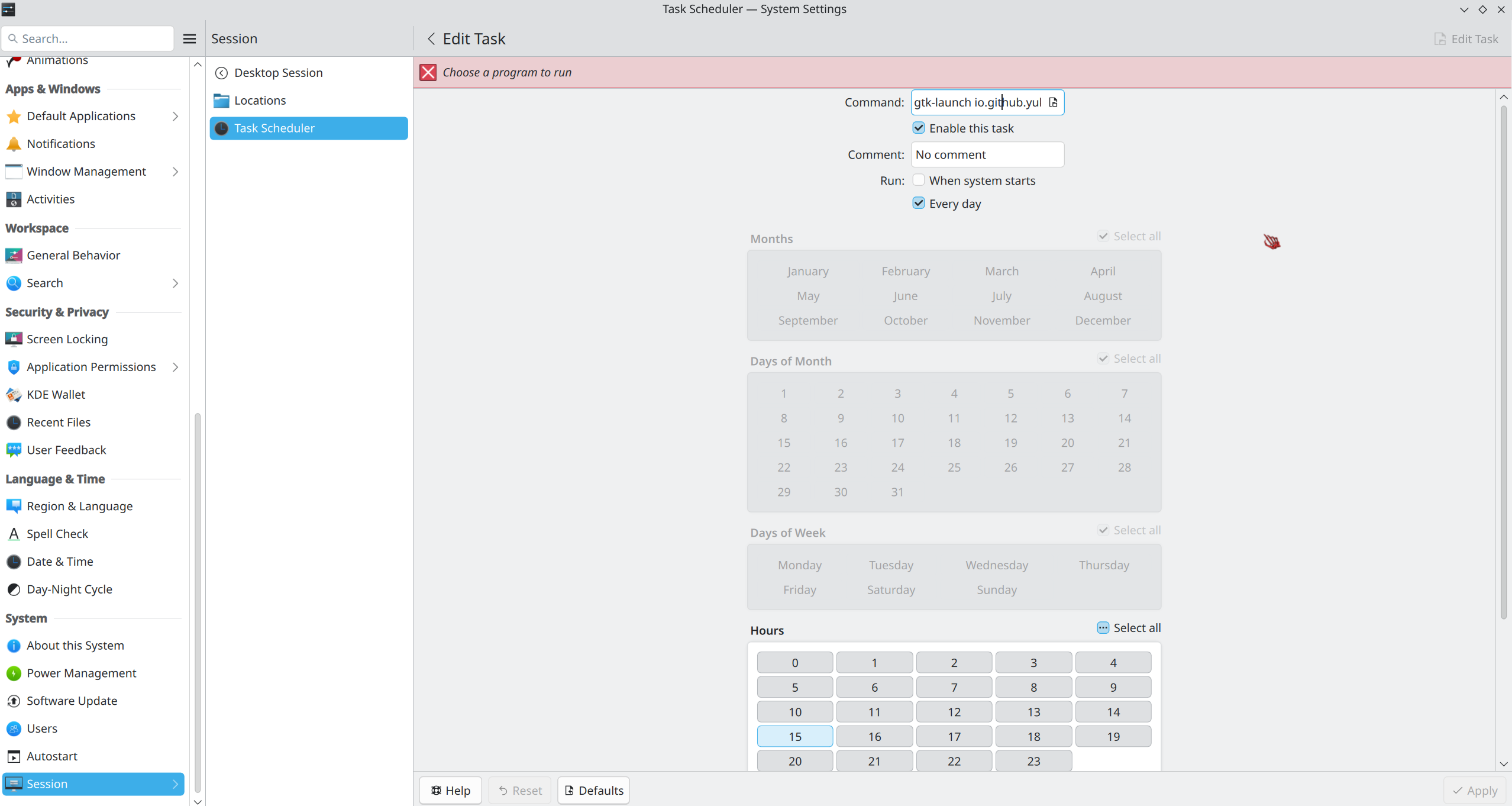
I figured simply pointing it at the /usr/bin/flatpak file would not be a good idea so instead I decided to copy the entire thing above and paste it in the command box from the picture above, but I just get a python error when it tries to launch it.
This is where I am currently stuck. Any suggestions how I can find out what is the actual “.exe” for the yuki-iptv program and how I’m supposed to use it in the scheduler?
Thank you.
P.S. On a related note am I at least correct in understanding that for regular nonflatpak programs the Linux equivalent of .exe is .sh and for appimages it’s .appimage? Or do I have that wrong too?
gtk-launch io.github.yuki_iptv.yuki-iptv.desktop does work when I type it in the console I can’t use neither it nor kioclient exec file:/var/lib/flatpak/exports/share/applications/\n with the scheduler because it’s still asking me to choose a program, so I can’t apply the changes.
Nope, doesn’t work. That command field really wants me to select a file, maybe more arguments could be at the end, no idea, but first I have to select something…
Still trying different permutations, nothing has worked so far, including the symlink stuff(by this I mean they worked in the console, and the correct files were created, but Kcron still won’t open it).
LE: Well I tried all the different combos I could think of, either nothing happens or it just trows up one of those python errors.
I never imagined simply trying to open a program could be this complicated, looool…
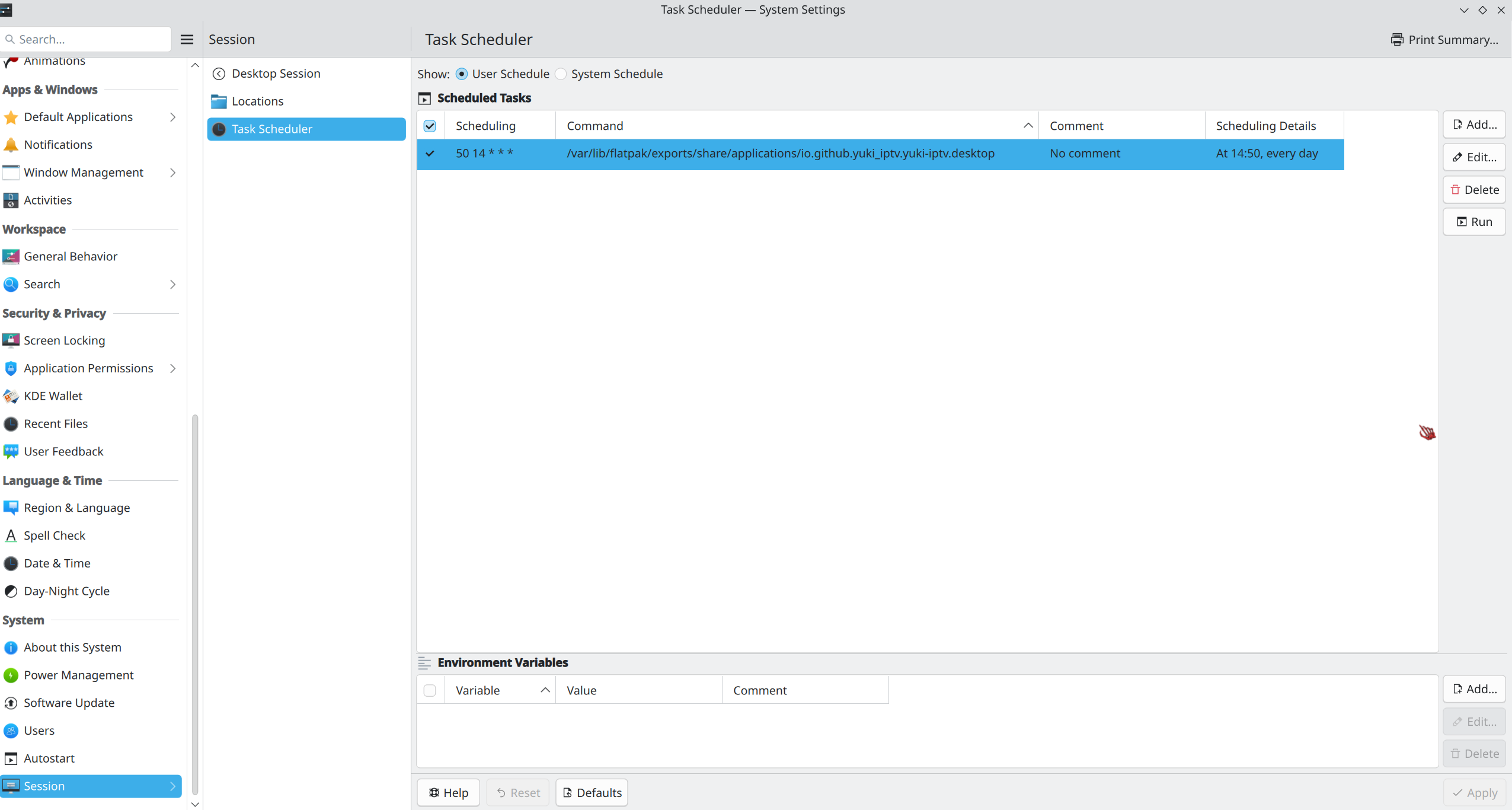
LLE: Ok, here’s another weird thing, after I create the rule if I click the little run button the console opens then the iptv program launches and works fine. But it never opens automatically on schedule like it’s supposed to, it just gives that python error.
This is where I am currently stuck. Any suggestions how I can find out what is the actual “.exe” for the yuki-iptv program and how I’m supposed to use it in the scheduler?
I suggest using the command line (Konsole) and the “exec” portion of your .desktop file to see what will actually start up ‘yuki-iptv’ properly.
Once you’ve done so, open ‘Dolphin’, right-click and select ‘new’ and create a new text file. When the file name pops up, use a descriptive name (perhaps ‘start-yuki-iptv’ or similar), double-click on the new file and add the working command line as the contents of the file.
Save the file and then right-click on the file icon and select ‘properties’. Select the ‘permissions’ tab and click the check box next to ‘Execute’ and click OK.
You can then use that file as the “command” requested by the task scheduler.
Unfortunately, I don’t know anything about yuki-iptv so I can’t help with the appropriate contents of the above file. Perhaps someone else with knowledge of the application can help with that.
Eventually you’ll realise that it makes it easier! Just remember that linux is case sensitive, and that a file can be called anything you like - there’s no need to have am mp3 file actually have a .mp3 on the end, or an executable to be named “something.exe”. It CAN have that extension if you like, but it’s not required.
If you want to really find out what the system thinks a file is, you can call file on it.
└─➜ file dupehunter                                                               22:46 Thu 25-Dec
dupehunter: SQLite 3.x database, last written using SQLite version 3051000, file counter 1, database pages 2, cookie 0x1, schema 4, UTF-8, version-valid-for 1

└─➜ file *                                                                                                                                                          22:51 Thu 25-Dec
enterprise-numbers: Unicode text, UTF-8 text
hddtemp.db:         ASCII text
magic:              magic text fragment for file(1) cmd, 2nd line "#------------------------------------------------------------------------------", 3rd line "# $File: acorn,v 1.9 2024/08/30 17:29:28 christos Exp $", 4th line "# acorn:  file(1) magic for files found on Acorn systems", 5th line "#"
magic.mgc:          magic binary file for file(1) cmd (version 20) (little endian)
Far more flexible one would argue - been around since the 70’s.
@vikings
No idea if this is still possible but if it is can you change the name of the used program from Kcorn to Kcron in your first post. I started looking for Kcorn and found nothing, till I realized it should be Kcron because of cron as in crontab.
Thanks.
Suppose that’s true, you also have things like .bat, but it still doesn’t compare to Linux imo.
Sadly it doesn’t, still spits out a “python3.13 has crashed” error. Any other suggestions please?
All that seems a bit more involved, gimme a few hours to wake up then I’ll give it a shot.
I totally agree that it makes it way more flexible and/or powerful, I would not use the word “easier” however. Least not yet, gimme a few more years under Linux and we’ll talk and see. Like you said, “eventually”, maybe…
I don’t see anywhere that you have told us what version of fedora you are using.
If you are using f42 which actually has python 3.13 installed then this seems problematic for the system.
If you have upgraded to f43 the system should now have python 3.14 installed and if the flatpak is depending upon the system providing python 3.13 to function this would seem to indicate an error in the flatpak app and not for fedora.
Please show us the output of python -V.
On my system with a fully updated f43 OS I get this.
I am indeed running Fedora 43 updated to the day and my python -V output is the same as yours @computersavvy
Let me know what other info you need please, I’ve never been very good at knowing what I should provide from the start.
Ok I had time to try all that and it doesn’t work, when I add the file it doesn’t care, it’s still asking me to add a program. I tried leaving it with .txt, tried with .sh, treid without any termination whatsoever, etc.
This is what the file’s property window shows, I think I did everything correct, and it’s located in my home folder if that matters.
LE: And ignore the front . in the screenshot, I obviously tried it without making the file hidden(I would just like/hope to have it hidden in the end for aestethic purposes), it didn’t care.
LLE: Not sure if it helps but one more thing, which granted I probably should have done from the start/my bad, I tried copy&pasting the exec= lines from some of the other programs to see if those worked.
Flacon and keepassxc just gave some generic “sorry it looks like program xxxxxx has crashed” notifications and steam gave the error below.
Is it possible that Kcron itself doesn’t even work at all or am I confusing things again?!?!
Wooow, that worked, holy crap, yaaay!! Thank you mate.
Would explaining why your command worked when the others didn’t be easy-ish or would it go way above my head anyway and thus you shouldn’t really bother?
I’ll mark your post as solution tomorrow, but I’d like to leave one final question before I go to bed. This yuki-iptv program doesn’t seem to save the recording schedule when I close it.
I am wondering if this is due to flatpak persmissions since I already had to add an extra rule for the /home/VIKINGS/Videos folder so it can write the recordings it creates to it.
But I am usure what permission to give it so that that extra function it has works properly. It seems to be differrent then the programs “normal” settings from the settings window which do save…
Should I just checkmark “all systems configuration” and switch it to read/write or is there some better permission?
Unfortunately it’s not much of an explanation, I was messing around with doing a systemd service and got it to work using systemd-run. I was able to get another flatpak (gnome-mpv) to start normally.
I wasn’t able to get a guide to load and it would crash each time I edited a playlist. So I can’t provide much help here.
After some more playing with this, I got a guide working and I’m observing the same thing you are. To be honest it looks like the recording schedule is not saved at all.
Yeap, I even tried searching for all folders yuki-iptv created in both my root and home and giving each of it specific read/write persmissions in the flatpak settings, didn’t help.
So I’m guessing it’s a bug? In which case I’m truly screwed since codeberg reports the project as archived!
And I have no idea how to message it’s creator liya, the site doesn’t seem to provide such a function. Assuming he/she would even appeciate beeing contacted about a project they archived…
So I guess all our work was for nothing and now I have to look for a new program for my iptv needs due to the whole “bla bla bla, outdated software security risk, bla bla bla” thingy which I do try to avoid when I can…
Thus I decided to first see if vlc could suit my needs since I already use it for regular video files playback.
which manages to launch vlc at the time I want and go straight into the stream on the channel I want. What I can’t figure out is how to also get it to press the record button automatically after the stream starts.
vlc -H and some posts on google mention something about sout-record:
 Record stream output (record)
      --sout-record-dst-prefix <string>
                                 Destination prefix
          Prefix of the destination file automatically generated
But I tried adding different permutations of it to the end of my command and got nowhere.

 system, you would point to the program’s




 Least not yet, gimme a few more years under Linux and we’ll talk and see. Like you said, “eventually”, maybe…

 I tried leaving it with .txt, tried with .sh, treid without any termination whatsoever, etc.


 Thank you mate.

 which I do try to avoid when I can…