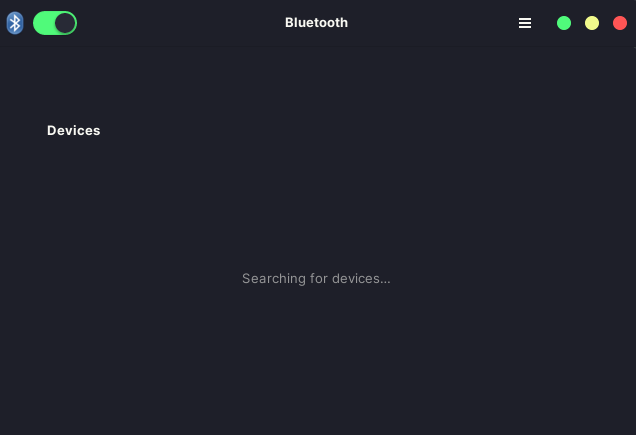
> sudo bluetoothctl
Waiting to connect to bluetoothd...[bluetooth]# Agent registered
[bluetooth]# list
[bluetooth]# scan on
No default controller available
[bluetooth]#
Hello @treeway7 ,
When I call bluetoothctl from the command line without anything, it shows the controller(s) that are there and puts me into a REPL where there are all of the available commands and options. Starting from there …
[jakfrost ~]$ bluetoothctl
Waiting to connect to bluetoothd...[bluetooth]# Agent registered
[bluetooth]# hci0 new_settings: bondable ssp br/edr le secure-conn
[bluetooth]# [CHG] Controller B0:A4:60:33:14:B2 Pairable: yes
[bluetooth]#
Note, I am not using sudo for the command, does that change behaviour for monitoring/viewing info? Also, I use the Gnome DE and have the option to turn on/off Bluetooth there, it defaulted to off for me some time ago, which is fine because I don’t very often use it. Is yours “turned on” in your DE?
> bluetoothctl
Waiting to connect to bluetoothd...[bluetooth]# Agent registered
[bluetooth]# list
[bluetooth]# exit

> sudo bluetoothctl
Waiting to connect to bluetoothd...[bluetooth]# Agent registered
[bluetooth]# list
[bluetooth]#
I’m running XFCE. It says Bluetooth is enabled, but the menu doesn’t show any devices.
I also tried using the Blueman utility, but it crashes when it’s opened:
> blueman-manager
blueman-manager 13.10.41 ERROR    Manager:147 on_dbus_name_appeared: Default adapter not found, trying first available.
blueman-manager 13.10.41 ERROR    Manager:151 on_dbus_name_appeared: No adapter(s) found, exiting
So the Bluetooth adapter isn’t being found for some reason, even though one exists on my system. I’m trying to connect my wireless controller, which works fine on Windows via Bluetooth.
Here are some various commands to give you an overview of my Bluetooth hardware.
I’m running a Lenovo ThinkPad X1 Extreme 2nd Edition.
> rfkill
ID TYPE      DEVICE                   SOFT      HARD
 0 bluetooth tpacpi_bluetooth_sw unblocked unblocked
 1 bluetooth hci0                unblocked unblocked
 2 wlan      phy0                unblocked unblocked