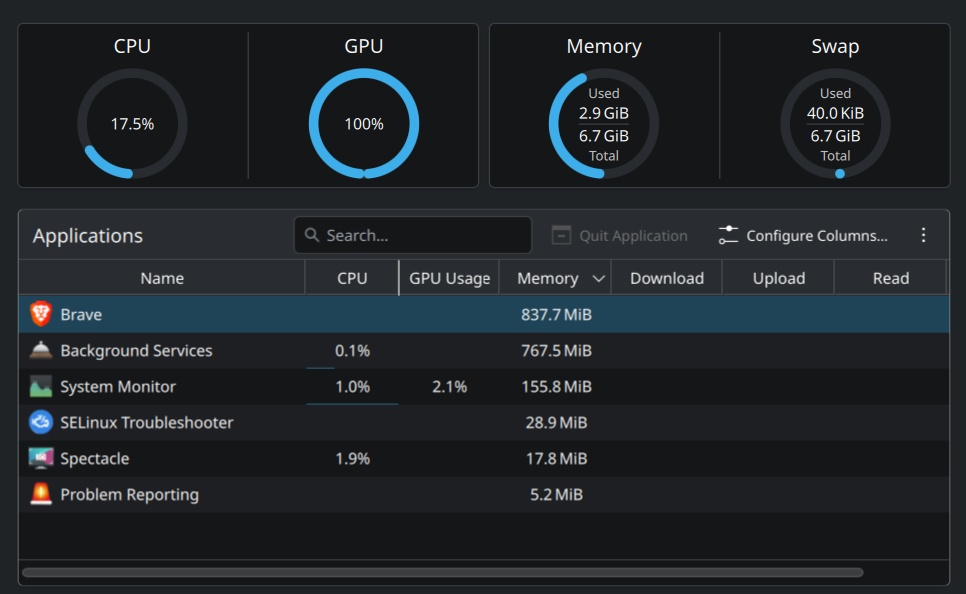
I checked the usage with amdgpu_top and surprisingly i wasn’t able to find anything that was using the GPU but the temp was very high sitting between 60C - 70C when my laptop is just idling
I’m dual booting my laptop with windows 10 as i wanted to have a backup if something went wrong and i haven’t yet booted into windows after i installed fedora 42 kde a couple of days ago. These are my system specs -
I haven’t changed anything in the bios since I bought my laptop tho and when I boot to windows, the GPU usage is 0 but when I boot back to Linux, it’s a 100
>Check your ‘power profiles’ and set to something more conservative if it is maxed.
Yeahh, I set it to performance but before this, it was in balanced and it was still at 100 and for now just to make sure, it changed it to power save and it’s still at 100 after rebooting
Yes, I’m on KDE. Any idea what DEs have an option to configure the touchpad scrolling speed? I tried gnome but I couldn’t find such option but for the sake of the issue at hand, I’ll try gnome