Hi, I have recently installed Fedora 42 on my Asus Tuf Gaming F16 laptop
After waking up from suspend (lid close or manual suspend), the system resumes very slowly, and my Wi-Fi completely stops working
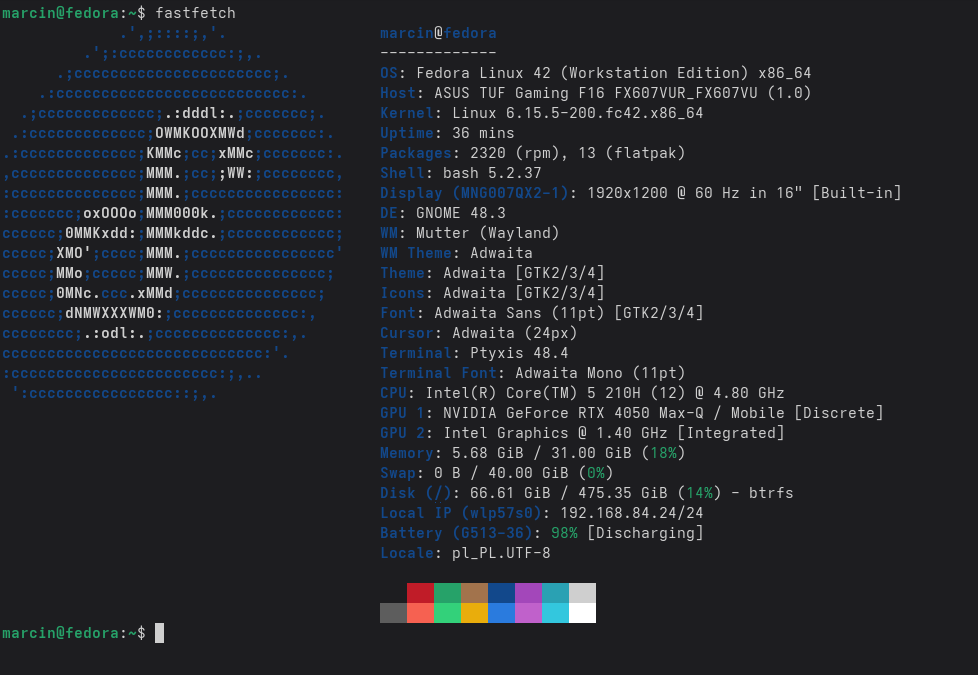
Device: Asus FX607VU - Intel Core 5 210H - RTL8852BE
Root cause: The issue stems from the PCIe D3Cold power state. The system puts the Realtek card into this deepest power-saving mode to save energy, but the firmware/driver fails to successfully wake the hardware up upon resume (especially during s2idle). By disabling d3cold_allowed, we force the card to stay in a shallower sleep state (D3Hot) where it maintains enough power to respond to wake-up signals, preventing the connection drop.
1. Find your PCI ID Run the following command:
lspci -nnk | grep -A 3 -i network
Look for the first identifier (e.g., 0000:01:00.0). This is your [PCI_id].
2. Check current status Replace [PCI_id] with your actual ID:
cat /sys/bus/pci/devices/[PCI_id]/d3cold_allowed
If the output is 1, it is enabled and might be causing the drops.
3. Create the udev rule Run this command to create the rule automatically (replace [PCI_id] with yours):
echo 'SUBSYSTEM=="pci", KERNEL=="[PCI_id]", ATTR{d3cold_allowed}="0"' | sudo tee /etc/udev/rules.d/99-rtw89-d3cold.rules
4. Apply the changes Reload the rules and trigger them immediately:
sudo udevadm control --reload-rules && sudo udevadm trigger
5. Verify Check the status again:
cat /sys/bus/pci/devices/[PCI_id]/d3cold_allowed
It should now return 0
A small note to Realtek: PLEASE STOP MAKING WIFI CARDS.
This method disables ASPM for all PCIe devices. This causes power-intensive PCIe devices like GPUs to continue running during sleep, leading to significant overheating and battery drain. In my tests, 30-40 minutes of sleep consumed around 20-25% of the battery. The danger lies in the device overheating during sleep!