So today I installed some new shelves in my room, meaning I unplugged my pc and monitor to get them out of the way. Upon reconstructing my setup, the screen randomly goes black for a few seconds. This behaviour can be more reliably triggered by closing windows, alt tabbing and opening windows, although it can happen with no input at all. Input is still registered during the black screen, although I cant see anything. This happens very frequently. I have tried different cables, ports, arrangements of plugging it into the walls, I have updated graphics drivers and restarted my PC several times. This only happens on 2560x1440p resolution, regardless of the frame rate. 1920x1080p still works, even though my monitor (AOC 2560x1440p 144Hz) fully supports the higher resolution. As far as I know, this should not be happening. It only started after unplugging my pc and monitor, and plugging them in again. The things I have not tried are reinstalling graphics drivers, getting a new graphics card (currently 7900 XTX AMD), getting a new monitor and praying to the machine spirits. Does anyone know what the problem is/a way to fix it?
Have you tried reseating the GPU in your PC, and checking the power cables are firmly plugged into the GPU?
I’ll try that!
No luck 
Sorry about that
Next question - are you sure that it was the physical moving around of the PC that caused the issue? (Rather than say a software update just before or just after you did the move?)
There were no updates, I had moved the PC right after I woke up today, giving it a full night shut down before turning the power off and moving it. And none of the internal components were moved or changed, I just unplugged some peripherals (monitor, keyboard, mouse, mic)
is VRR enabled? This can happen with VRR enabled with monitors that provide a wrong VRR range in their EDID table. Are you sure that you have re-connected monitor to the same port?
Well, the internal components did move with the pc, inside the case. But I don’t think it moved enough to jostle anything
Probably not. GPUs can be sensitive, and you wouldn’t want to take your PC on a road trip without removing the GPU. But moving it carefully a few metres across the room isn’t likely to trash the hardware.
We tried all the ports on the monitor and a different gpu port. I don’t know how to check VRR.

I use KDE, not gnome, sorry.
So what, KDE does have a similar setting.
OFC, this could be compl. unrelated to the issue you’re seeing.
Is the setting called adaptive sync? Because when thats on, fullscreen apps tend to subtly flicker annoyingly.
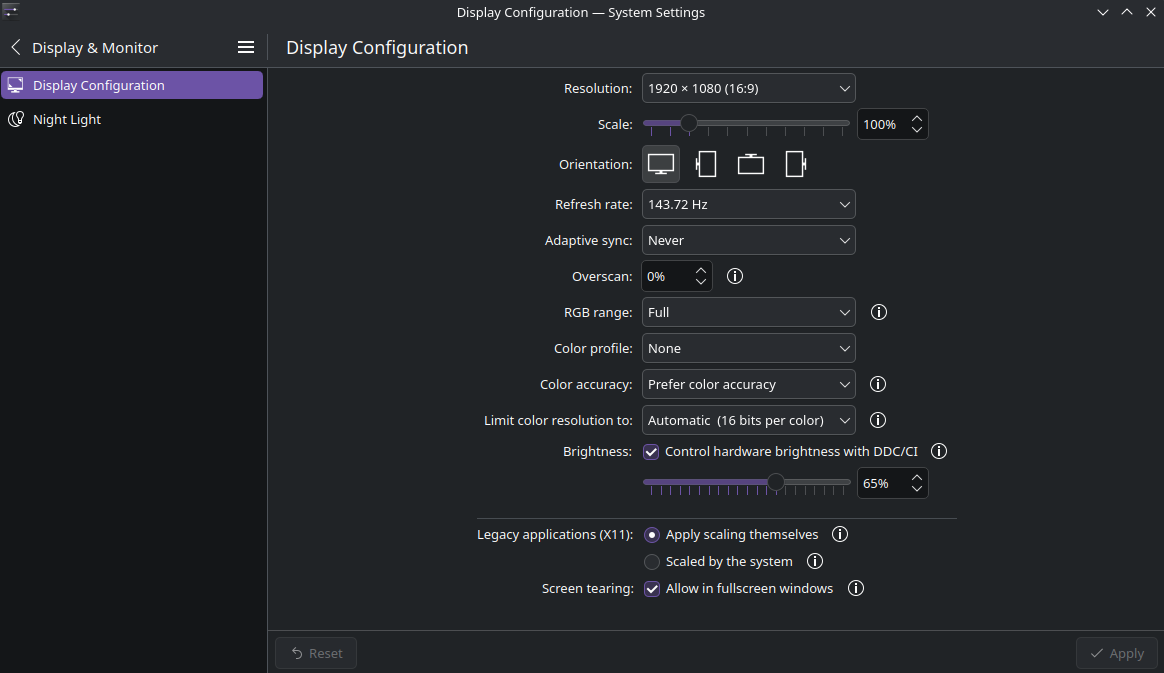
yes, looks like it’s something else. The symptoms are very similar though.
out of curiosity, I tried. adaptive sync does not help.
Disabling VRR/ adaptive sync would help in a case that I described.
Thanks for trying 
Try a different cable. The old cable may be damaged (damaged wiring) and is now causing problems because you moved it.
If it’s a desktop system, open the case and remove the GPU and reinsert it. Also check power connection, etc.
tried a new cable, made DEAD sure that all the cables were inserted properly. several times.