To summarise, I want to create a Windows 11 25H2 Enterprise Insider Preview Canary virtual machine on my Fedora 42 installation. Ideally, via virt-manager (because VirtualBox taints the kernel).
However, I don’t know whether anything needs to be modified to achieve this, what that would be if so, nor how to verify, when achieved, that it is operative (except by playing a game).
I err on not bothering to add amd_iommu=on to /etc/default/grub, because IOMMU support appears to be detected without it, as discussion.fedoraproject.org/t/73815/3 explains.
I don’t know what else needs to be done, nor how to verify; the information online is sparse, terse, and inconsistent.
My Rationale
I want GPU passthrough because:
Some applications do not operate without HW acceleration.
I want to play some games that do not operate under Wine, or its Proton superset.
I want it on a VM because:
As superuser.com/a/1865269 explains, I have had it install its EFI on the wrong storage device, causing a reinstallation of another OS to cause it to become inaccessible. This matters on a machine with solely NVMe-based storage.
When I last installed the desired OS, it added its EFI stub to every storage device, and reordered my EFI boot order. It does this after most feature updates.
When I last installed the desired OS, it would not exceed a 300 by 600-pixel display resolution, because the Basic Display Adapter failed to load, requiring a reinstallation.
It seems quite possible to do so.
I had a win10 VM on f41 some time back and the only difference was I did not use GPU passthru. If you do use GPU passthru you will need 2 different GPUs installed. One for the host and one for the guest to use with passthru.
I went down this same rabbit hole a long while back and came to the same conclusion as the above. One thing to note in case it hasn’t come up, if you have an integrated GPU on your processor and a dedicated GPU attached to your motherboard, you already have two GPUs. I don’t remember the in-and-outs of how, but the idea is that you put the host machine on the integrated GPU and the VM passthrough to use the dedicated GPU.
Your mileage may vary depending on your processor and GPU make/model. Let us know if you get it working, I’ll be curious to hear what you end up doing!
Unless you truly need the additional power of the actual physical device (probably needed for gaming) the virtual gpu is very powerful. I suspect passthru would be necessary only if hardware acceleration is needed. If necessary passthru of the dGPU would seem best.
I do: I want it in order to be able to debug games that require hardware acceleration to operate (at least, at a usable speed). However, what’s a virtual GPU?
That’s my intention. However, I fear that switching my compositor to the iGPU when the VM initialises, then returning it to the dGPU when the VM deinitialises, might be difficult.
@cviniciusm, I listed virt-manager as part of my environment in /1, and I don’t believe that it supports a VirtualBox backend. Therefore, I’m already bound to QEMU/KVM via libvirt, to my knowledge.
…might not be required, if the rest of the steps are adhered to on a bare-metal Fedora installation? I am wary, because most low-level configuration isn’t applicable across OSes. To demonstrate, I believe that providing those arguments to the GRUB_CMDLINE_LINUX variable in GRUB2 isn’t required on f42, for I see dmesg output logs about it without that specified, which should indicate IOMMU’s activation.
Perhaps, the Windows 11 preset is unique. (It certainly is, in that it pleasantly defaulted to UEFI MB FW, which most of virt-manager’s presets do not.) This might be superior: [1]
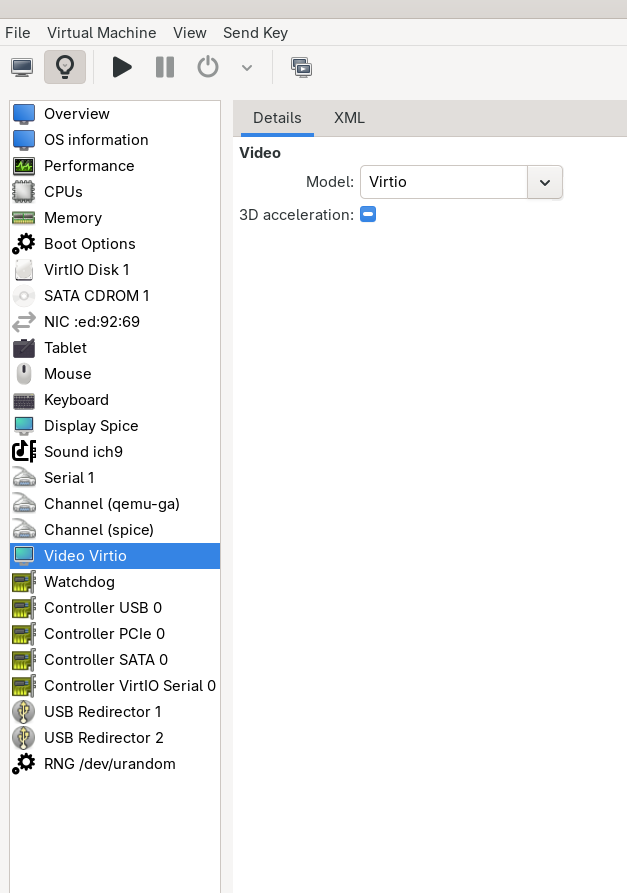
However, I doubt it, because it appears to prevent at least software-based graphical acceleration (if that exists; it’s how it was described) operate: [2][3]
That might provide more performance in the meantime, but appears tangential. Considering that I’ve yet to locate even sufficient documentation on this, I fear that this might all be a little too complex for me to accomplish safely. [4] I’ll continue, nevertheless.