Fedora 43
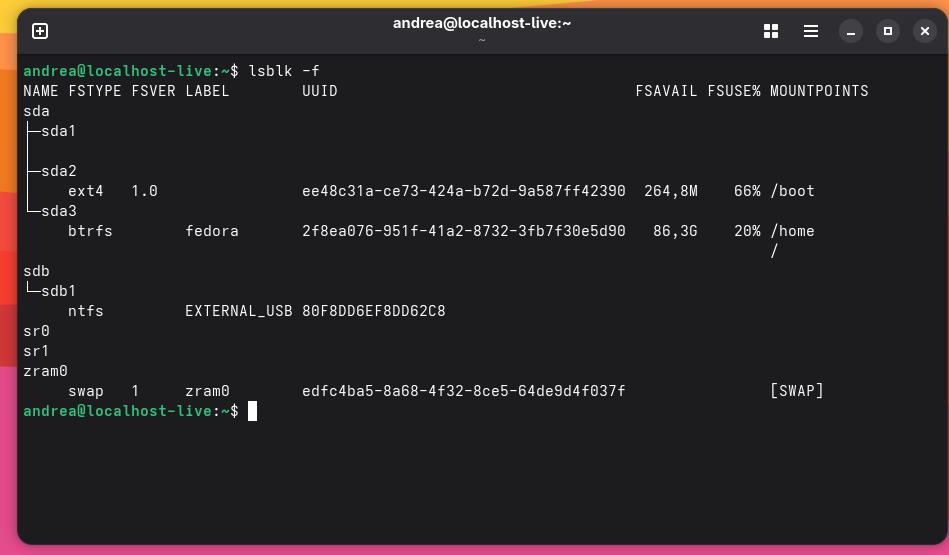
It doesn’t mount an external hard drive connected via USB, with Fedora 42 it was perfect
Here’s what it tells me.
Error mounting /dev/sdb1 at /run/media/ andrea/EXTERNAL_USB: Unknown error when mounting /dev/sdbl
I gave the command
sudo fdisk -l
Here’s the house, giving me back
Disk /dev/sdd: 1,82 TiB, 2000398934016 bytes, 3907029168 sectors
Disk model: EXTERNAL_USB
Units: sectors of 1 * 512 = 512 bytes
Sector size (logical/physical): 512 bytes / 512 bytes
I/O size (minimum/optimal): 512 bytes / 512 bytes
Disklabel type: dos
Disk identifier: 0xcb205137
The HD contains data and I don’t want to format it.
Thanks Vanadium and ilikelinux for your availability
The package “ntfs-3g-2:2022.10.3-10.fc43.x86_64” is already installed.
I needed the HD and had to format it, now it works