Hello Fedora Community!
I recently stumbled upon the “Device Security” menue in the settings and was shook by these warnings:
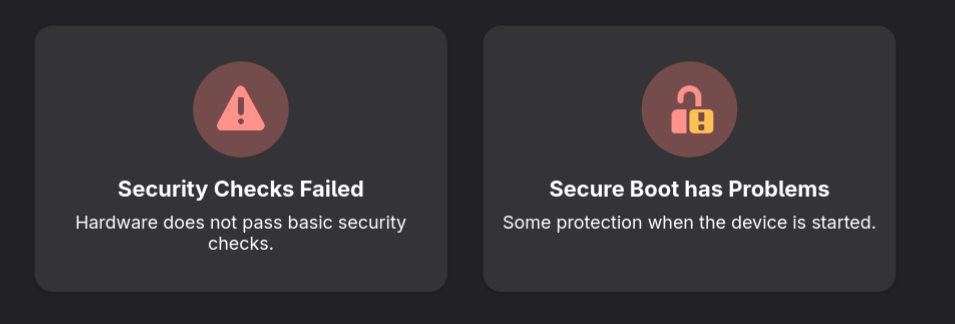
uppon investigation i got this detailed report:
Device Security Report
Report details
Date generated: 2025-07-14 15:00:40
fwupd version: 2.0.12System details
Hardware model: SchenkerTechnologiesGmbH XMG CORE (REN/E21)
Processor: AMD Ryzen 7 4800H with Radeon Graphics
OS: Fedora Linux 42.20250714.0 (Silverblue)
Security level: HSI:0! (v2.0.12)HSI-1 Tests
UEFI Platform Key: ! Fail (Not Valid)
UEFI Bootservice Variables: Pass (Locked)
TPM v2.0: Pass (Found)
System Management Mode: Pass (Locked)
BIOS Firmware Updates: Pass (Enabled)
UEFI Secure Boot: Pass (Enabled)
Fused Platform: Pass (Locked)
TPM Platform Configuration: Pass (Valid)HSI-2 Tests
AMD Firmware Write Protection: ! Fail (Not Enabled)
TPM Reconstruction: Pass (Valid)
IOMMU Protection: Pass (Enabled)
Platform Debugging: Pass (Locked)HSI-3 Tests
Pre-boot DMA Protection: ! Fail (Not Enabled)
AMD Firmware Replay Protection: ! Fail (Not Enabled)
Suspend To RAM: ! Fail (Enabled)
Control-flow Enforcement Technology: ! Fail (Not Supported)
Suspend To Idle: ! Fail (Not Enabled)HSI-4 Tests
Encrypted RAM: ! Fail (Not Supported)
Supervisor Mode Access Prevention: Pass (Enabled)
AMD Secure Processor Rollback Protection: ! Fail (Not Enabled)Runtime Tests
UEFI db: ! Fail (Not Valid)
Firmware Updater Verification: Pass (Not Tainted)
Linux Swap: Pass (Encrypted)
Linux Kernel Verification: Pass (Not Tainted)
Linux Kernel Lockdown: Pass (Enabled)Host security events
2025-05-30 21:04:43 Linux Kernel Lockdown Pass (Not Enabled → Enabled)
2025-05-30 21:04:43 UEFI Secure Boot Pass (Not Enabled → Enabled)
2025-05-30 16:35:58 System Management Mode Pass (Not Locked → Locked)
2025-05-13 20:50:51 System Management Mode ! Fail (Locked → Not Locked)
2024-12-24 19:06:12 UEFI Secure Boot ! Fail (Enabled → Not Enabled)
2024-12-23 01:22:21 Linux Kernel Lockdown ! Fail (Enabled → Not Enabled)For information on the contents of this report, see Redirecting to https://fwupd.github.io/libfwupdplugin/hsi.html
As you can see in the events i already switched on secure boot (why was this ever off?!) but the PK does not seem to work.
reading the given link i came to the conclusion that I should at least pass the HSI-1 test by bringen my secure boot up and running.
When checking out the UFEI Platform Key i noticed that it states:
“DO NOT TRUST”
Reserching this i came appon a report about the so called PKfail
essentially some PKs got leaked but still implemented by many manufactors leaving the secure boot ineffective and the device vulnerable to attack.
My conclusions:
If i want to have a functioning secure boot i need to re-key EVERYTHING since the PK-Key is, to my surfice level understanding, essential to all following keys.
As you may hear between the lines: this is beond my current technical skill.
Looking ReKeying up on Youtube i found this instruction
Even tough it would be time consuming i am thinking about reading up about how those Keys and secure boot works in order to make it work again. But before investing hours of free time i would like your input:
Do you agree with my assesment that i have a “faulty” PK?
From a security stand point: Should I aim to Re-Key in order to achieve secure boot?
Is this something the manufacturer can help me with?
Is to your knowlege the stated instruction sufficiant? Are there implications to manualy re-keying that i nedd to be aware of?
Do you have resources that i can use to get started?
Thanks in advance!
Nik