Hello! I’m having a problem with the H264 codec, or rather, its absence in OBS Studio for AMD graphics card. There’s only hardware encoding, not for AMD card. How do I install it? I’ve tried several tricks, but none of them worked. My graphics card is an AMD RX 480 4GB and my operating system is Fedora 41. It works out of the box on Windows 10. I downloaded OBS Studio directly from the Fedora repositories.

When you say you downloaded directly from Fedora repos, do you mean RPM via command line - or Flatpak via say Gnome software?
Via command line.
Have you followed this guide? Might help??
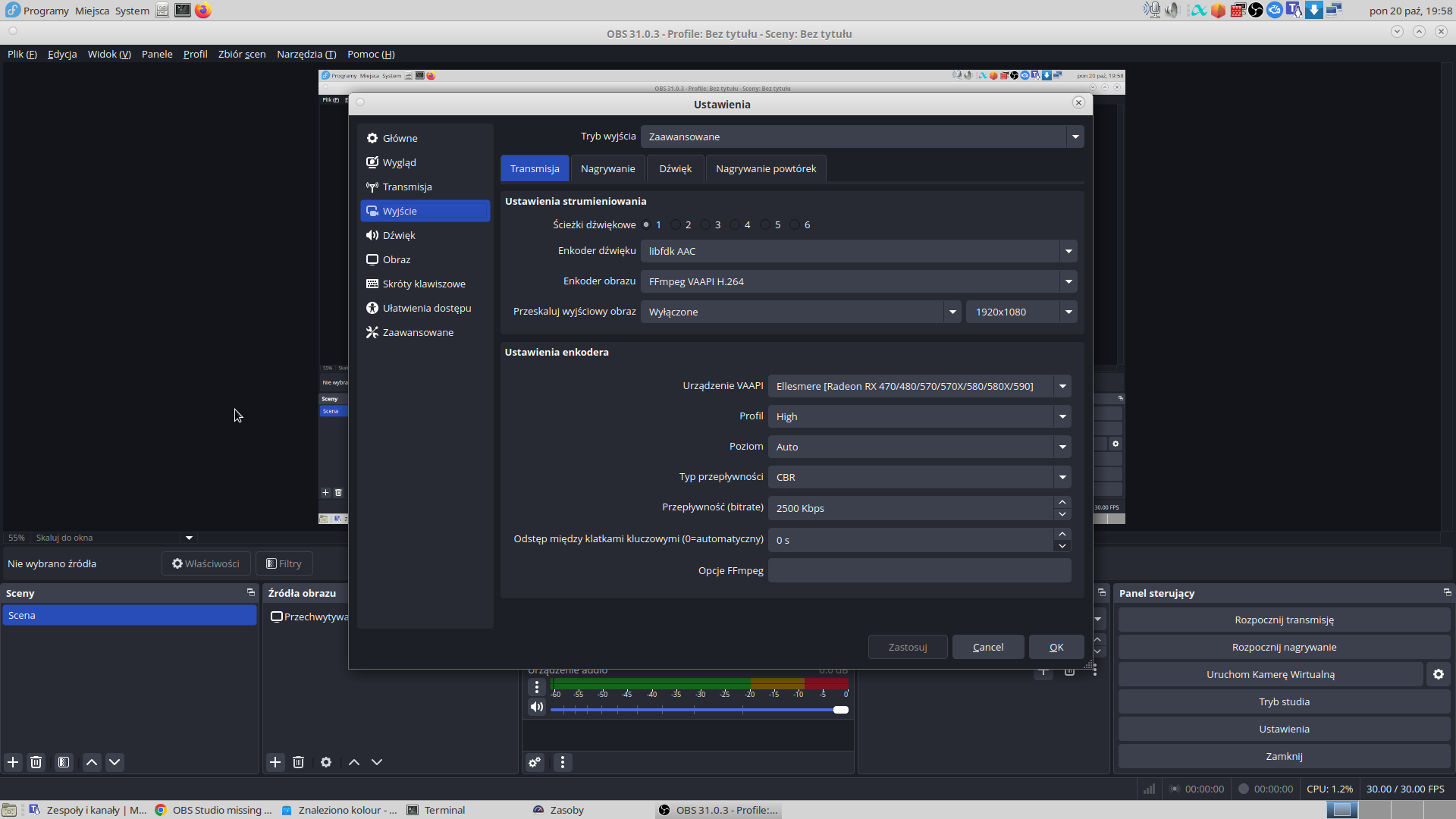
It looks to me like under ‘Ustawienia enkodera’ the VAAPI setting is the selection for hardware encoding.
I looked it up and I found “Enable hardware encoding for AMD graphics cards in OBS Studio on Linux by selecting “Advanced” in the Output settings and choosing “FFmpeg VPI H264” or “HEVC” for video encoding.”
I have that option enabled. It’s strange that there’s no AMD decoding button in the basic settings, unlike in Windows 10. I don’t know, maybe Linux has it differently because they’re open-source drivers, not proprietary ones.
You can monitor your GPU usage while using OBS using radeontop - run it from command line with
radeontop
install with
sudo dnf install radeontop
I have a graphical app called Resources from Flatpak. I tested it by recording gameplay on a certain game, and it didn’t stutter like before, so I think it’s working. The CPU was only being used at one percent. Everything seems to be working fine. Thanks for the help.
Do you have an ancient driver?
2.6.0 - Removing support for older Drivers, High Motion Quality Boost and more Latest
With their new Navi GPU series AMD added a new feature to the hardware encoders: High Motion Quality Boost. This option should allow you to get higher quality streams at the exact same bitrate, resolution and framerate, given that you own and use an AMD RX 5700 (XT/XT Anniversary).
However due to that the new feature, the plugin now finally dropped support for ancient drivers. You will now need to have an up-to-date driver, at minimum 19.7.1 though the recommended minimum is 19.9.2, otherwise the plugin will refuse to load and does not add any encoders for use.
Additionally jpark37/rcdrone also fixed the VBV Buffer Strictness option. The incorrect behavior before was that all values above 50% would act like 50%. With the fix applied, values above 50% correctly approach the strictest possible buffer size again, allowing tighter control over bitrate.
p.s.
I saw that you could activate it with help of @theprogram. I let the Blockquote as an information for users with older setups/ancient drivers.
What is the output of vainfo
You will likely need mesa-va-drivers-freeworld