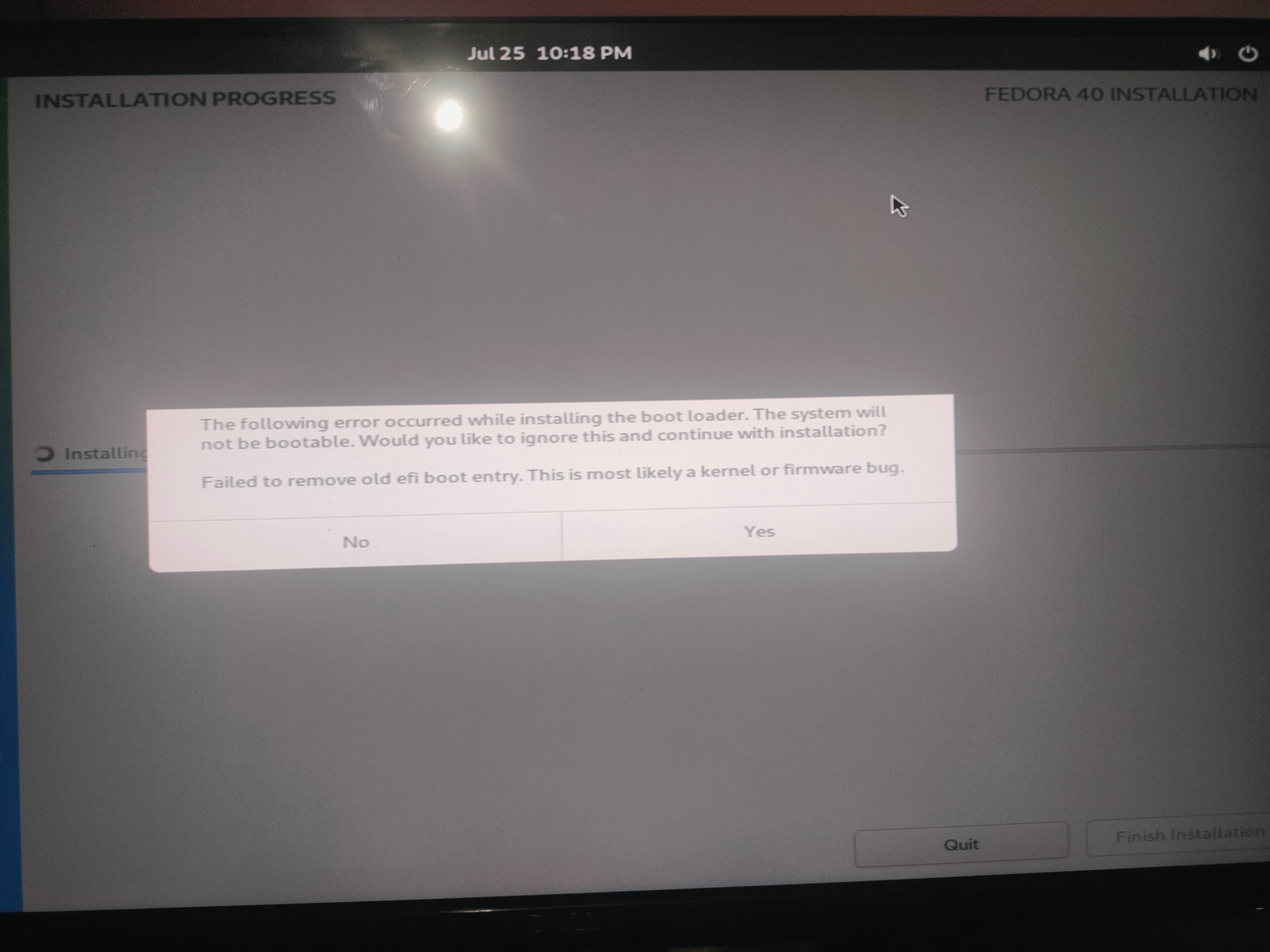
I was trying to install fedora 40 on my cpu. Earlier windows 10 was installed, then I burnt USB using fedora media writer.
And booted into live session,
I manually completely deleted and cleared SSD in which windows was installed. I deleted it using “Disks” software that comes in fedora. Then I tried to install fedora selecting automatic partitioning. And then this error showed.
That seems not satisfactory, do you suggest anything else ?
Last time i done that but it did not went good, fedora was just showing blinking cursor after then, then switched to Mint but i thought that issue might be fixed , but here I’m again in same situation.
Well, like the error message says, it is probably a firmware bug. The only way to fix that sort of bug would be to update the firmware. To do that, you’ll have to determine the current version of your system’s firmware and then check the manufacturer’s website to see if they have a newer version available and some tools and some documentation about how to update your PC’s firmware.